ClearShot app icon

ClearShot

Signed media consent

Know whether you have permission before you publish.

Download on the App Store
?

The Problem

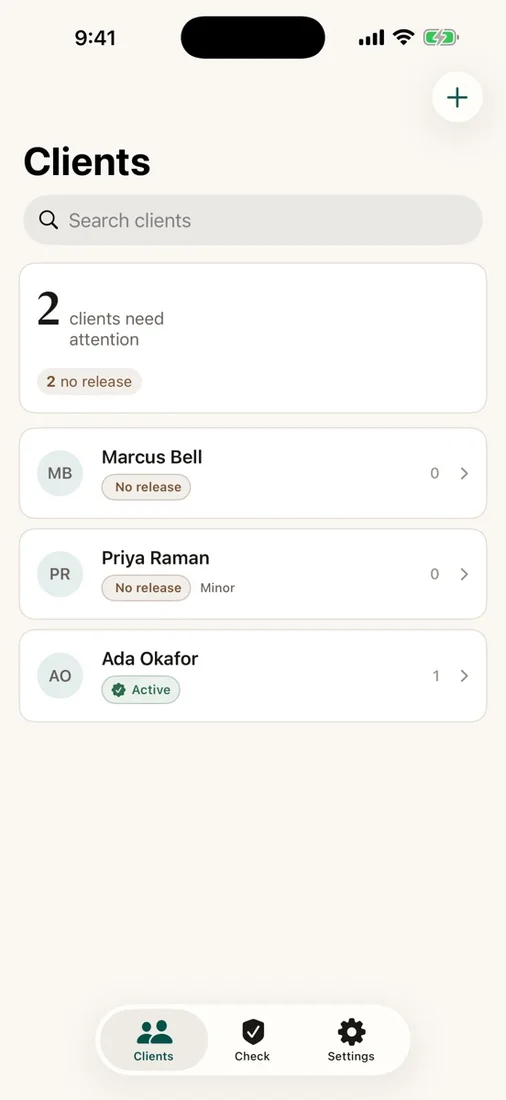
Media consent is easy to lose in paper forms, message threads, and generic documents. When it is time to publish, it can be difficult to confirm exactly what a client agreed to, whether that permission has expired, or whether a guardian signed for a minor.

The Solution

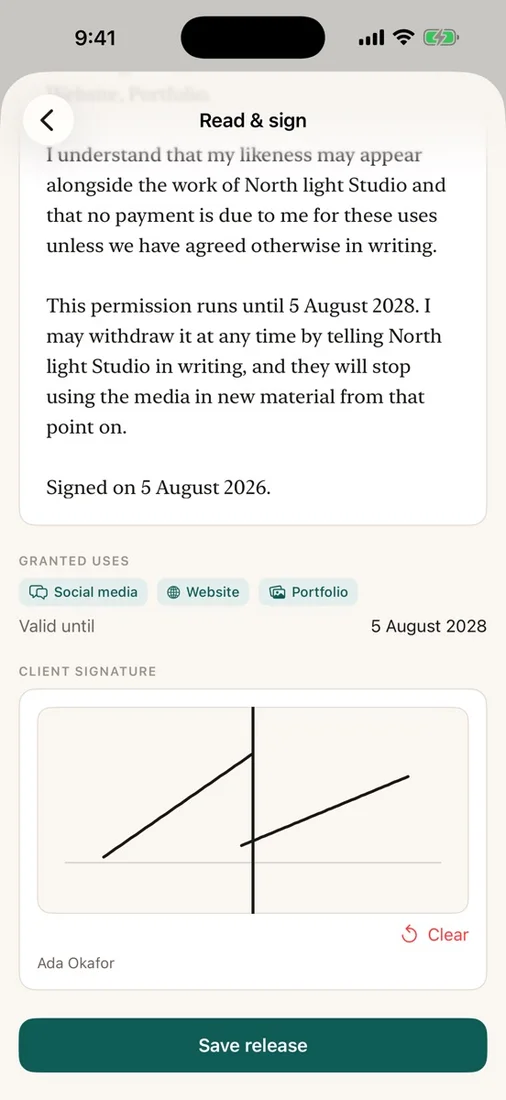
ClearShot keeps each signed release and its permitted uses together in a private on-device register. Capture a signature, record the expiry and guardian details, then check a proposed use for a clear allowed or denied answer before you post.

What you get

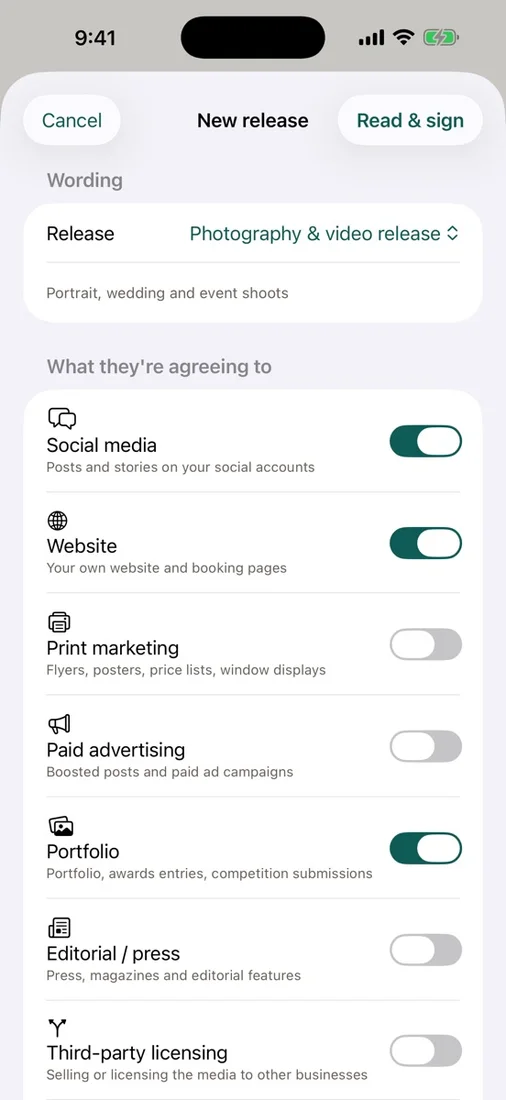
Clear, specific consent

Choose the exact media uses a client agrees to, set an expiry term, and capture their signature directly on the device.

Check before you publish

Describe a proposed use and get a clear allowed or denied answer with the reason, based on the signed release.

Consent status at a glance

See active, expiring, expired, and withdrawn releases so you know which records need attention.

Guardian support for minors

Capture guardian details at signing and keep them connected to the relevant client and release.

Templates and portable records

Start from built-in wording or write your own, share a PDF copy with the client, and export a CSV consent register when needed.

Private by design

Client details, signatures, and release records stay in the app’s local container, with no account, server, sync, analytics, or tracking.

Questions

Where are my consent records stored?
ClearShot stores client details, releases, and signatures locally on your device. There is no account, server, sync, analytics, or tracking, and you can optionally protect the app with Face ID or your device passcode.
Can I give a client a copy of their release?
Yes. Share a PDF copy through the standard iOS share sheet, and export your complete consent register as CSV when you need a portable record.
Does ClearShot provide legal advice?
No. ClearShot helps you organise and check consent records, but it does not provide legal advice. Have a qualified professional review your wording and processes where appropriate.

Try ClearShot

Know whether you have permission before you publish.

Download on the App Store