
Emptor — NSW property reports and DA Watch
Emptor helps NSW property buyers review planning controls, hazard overlays, nearby development applications, and suburb crime records before committing to a property. Save a report, share a PDF with your conveyancer, and use DA Watch to check for newly lodged applications near an address you choose.
Download the app ↓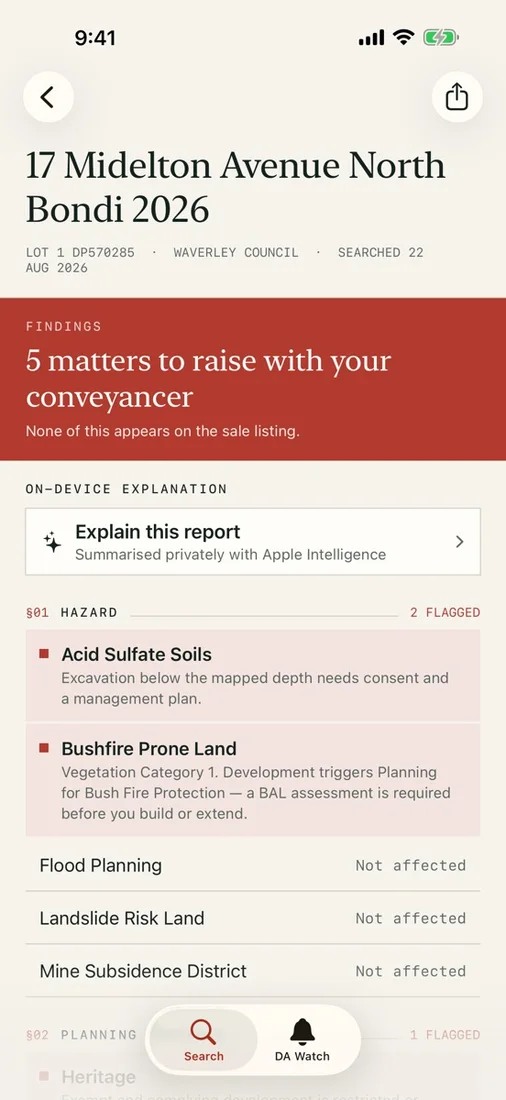 Find questions to raise before signingReview planning and hazard findings with your conveyancer.
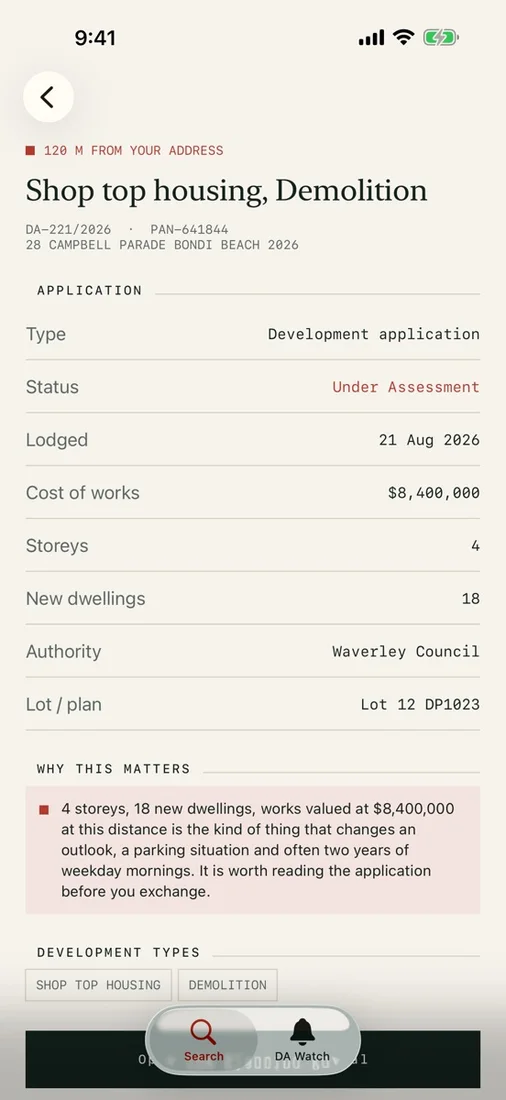 Understand a nearby proposalCheck an application’s status, scale, location, and authority.
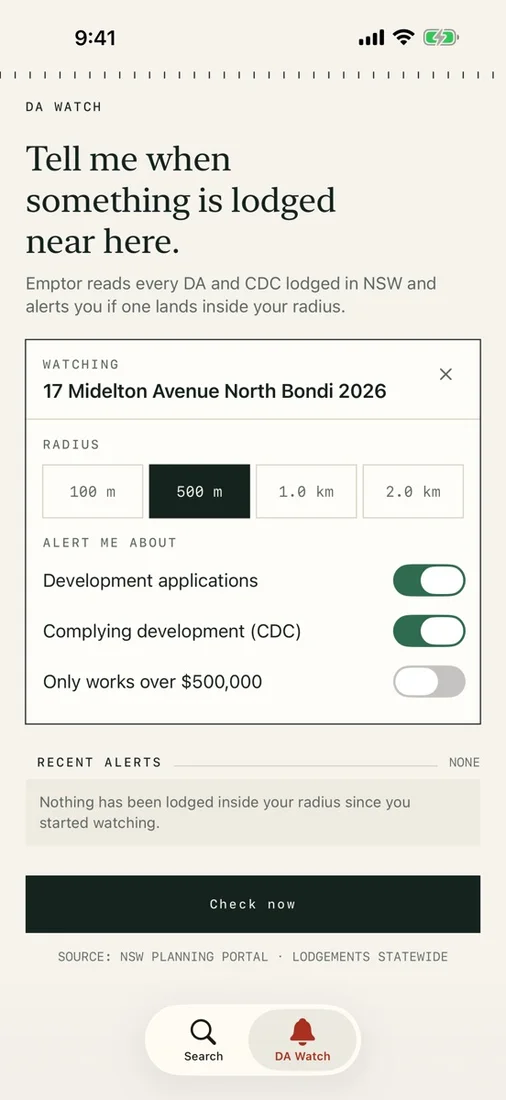 Watch the area that matters to youChoose a radius and application filters, then check manually or receive local alerts when a check finds matches.
Select a screenshot to view it full size.
No account. Online NSW data. Reports stay on device. Pay once.


Questions
What can an Emptor report tell me?
Emptor supports NSW properties and brings together public planning, hazard, nearby development, and suburb crime information with its sources. If a government service cannot be checked, that section is marked unknown. It is an early due-diligence tool, not legal advice or a substitute for a conveyancer or section 10.7 planning certificate.
Which devices can I use, and how are purchases and data handled?
Emptor runs on iPhone and iPad with iOS 26 or iPadOS 26 or later. It is a paid download with no in-app purchases or subscription. No account is required, and there are no ads, analytics, or tracking. Reports and watches stay on your device, and saved reports can be reviewed offline. Fresh searches and DA Watch checks need internet access and send the necessary address or property request data directly to public NSW Government services over HTTPS. Optional Apple Intelligence explanations run on-device where supported.
Will DA Watch notify me immediately about every new application?
No. DA Watch checks for newly lodged development applications and complying development certificates within your chosen radius and filters. Background refresh is opportunistic and controlled by iOS, so checks and alerts are not guaranteed to be immediate. You can check manually at any time; local notifications require permission.
Works with
Independent apps from Auralitho for the other jobs on your list.


Try Emptor
Bring better questions to your conveyancer before you sign.