
FlowFocus — Minimal Pomodoro timer
FlowFocus pairs a clean Pomodoro timer with a simple task list on iPhone and iPad. Estimate how many sessions a task needs, run focus and break sessions, and look back at where your time went, with plain-language summaries of your week.
Download the app ↓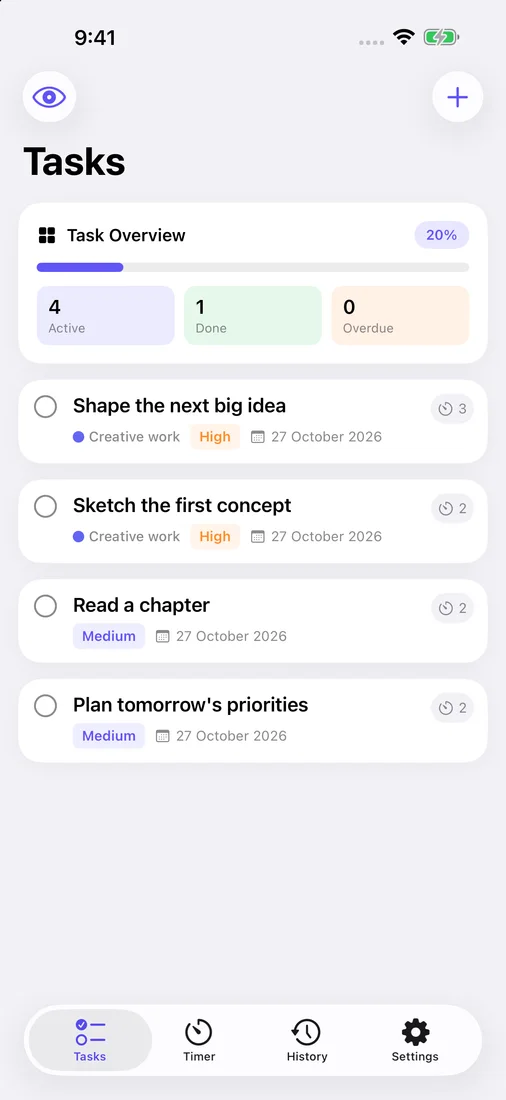 See the day’s tasksCheck active, done and overdue tasks, with each task’s priority, due date and Pomodoro estimate.
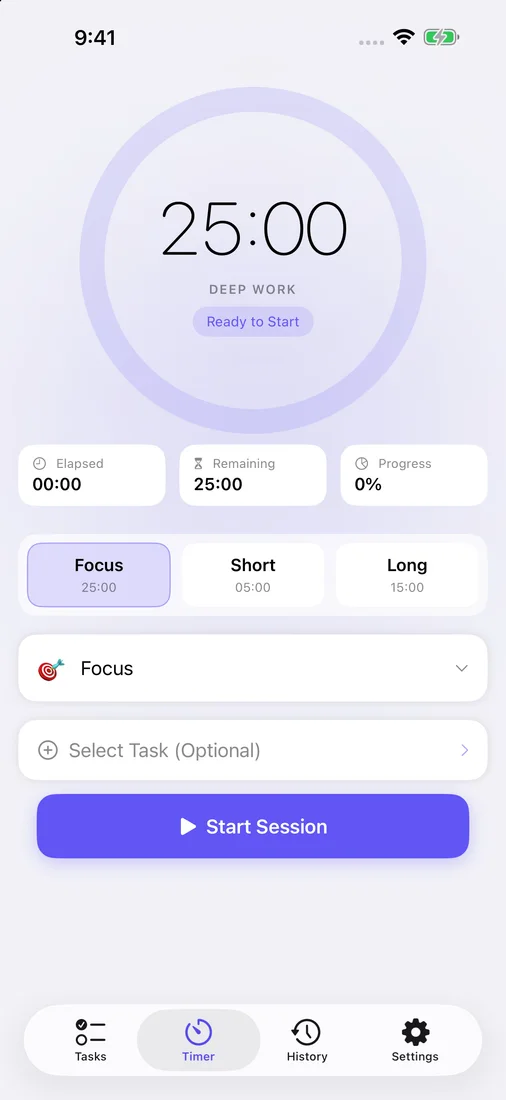 Start a focus sessionChoose a focus or break length, pick a session tag, attach a task and start the timer.
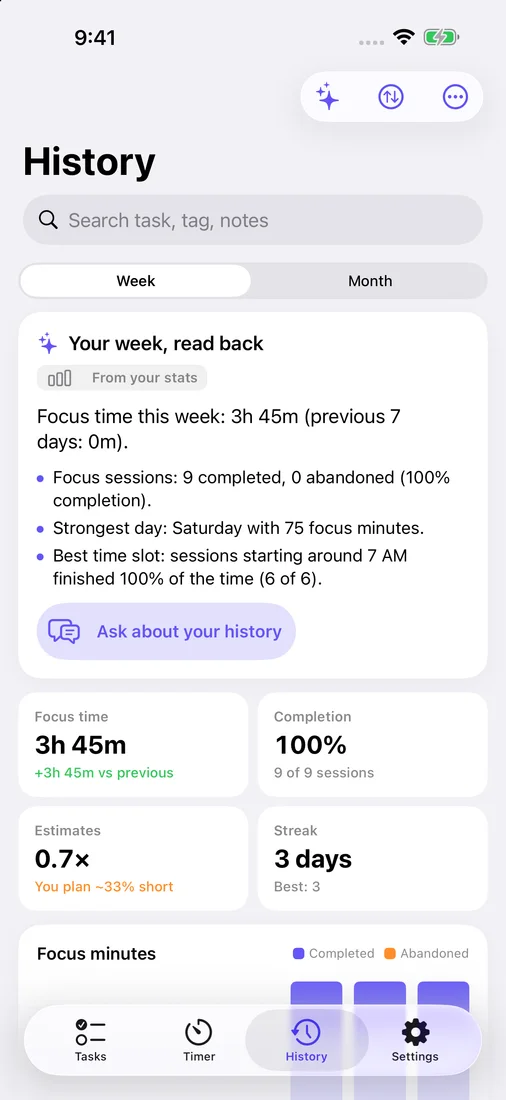 Review your weekRead a summary of your week, then check focus time, completion, estimate accuracy and your streak.
Select a screenshot to view it full size.
No account. Private iCloud sync. Apple Intelligence on device. Pay once.


Questions
Do I need Apple Intelligence?
No. The timer, tasks, history and widgets work on any supported iPhone or iPad. AI task estimates and written history answers use Apple Intelligence where it is available; without it, FlowFocus calculates summaries directly from your statistics.
Where is my data stored?
Tasks and session history are stored on your device and synced to your other devices through your private iCloud database. FlowFocus has no account, analytics or third-party services, and AI estimates and history answers run on your device.
Can FlowFocus turn on a Focus mode?
iOS does not let third-party apps switch Focus modes directly. FlowFocus remembers which Focus mode you use for sessions and walks you through setting up a schedule or Shortcuts automation to turn it on.
Works with
Independent apps from Auralitho for the other jobs on your list.


