← All apps
iOS
SnapDeduct — AI tax deduction scanner
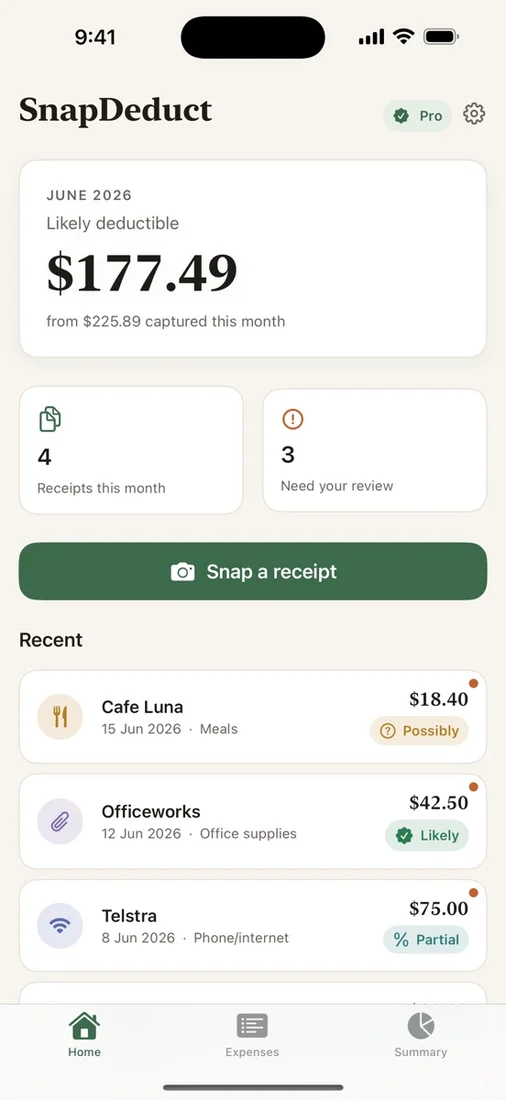
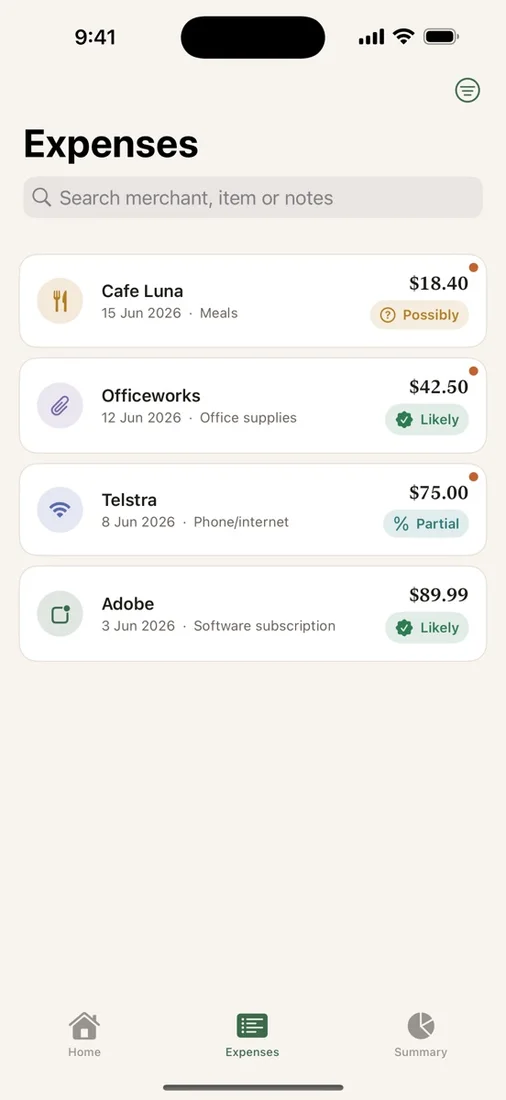
SnapDeduct turns receipts, email invoices, and screenshots into expense records with on-device AI. Review extracted details, organise your deductions, and export a CSV for your accountant.
Download the app ↓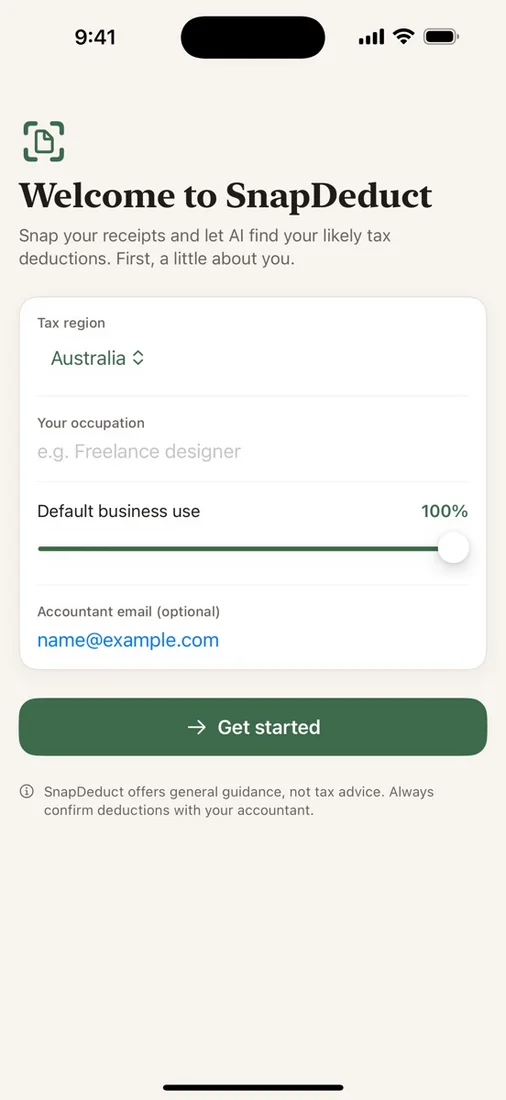
No account. No cloud. Start free.


Questions
Who is SnapDeduct for?
SnapDeduct is for freelancers, contractors, sole traders, and anyone who needs a simple way to capture work-related deductions before tax time.
Can it replace an accountant?
No. SnapDeduct provides general guidance and organisation, not professional tax advice. Always check important claims with a qualified tax professional.
Where is my receipt data stored?
SnapDeduct is local-first: receipt images and expense data stay securely on your device.
Works with
Independent apps from Auralitho for the other jobs on your list.


Try SnapDeduct
Scan receipts, invoices, and app screenshots into organised deduction records.