
MySSH — SSH terminal for Mac and Linux
MySSH is an SSH terminal for iPhone, iPad and Android that connects to your Mac and Linux computers by key, password or Tailscale SSH. It adds a touch-friendly terminal, optional Tailscale device import, and Mac screen sharing over SSH in one paid download.
Download the app ↓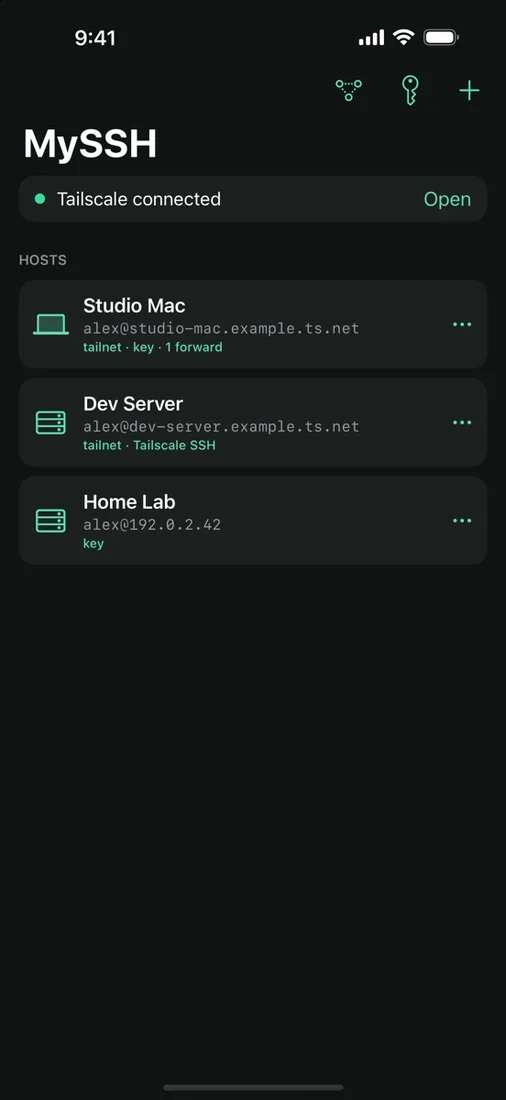 All your machines in one listSee saved Mac and Linux hosts with how each signs in, and whether Tailscale is connected.
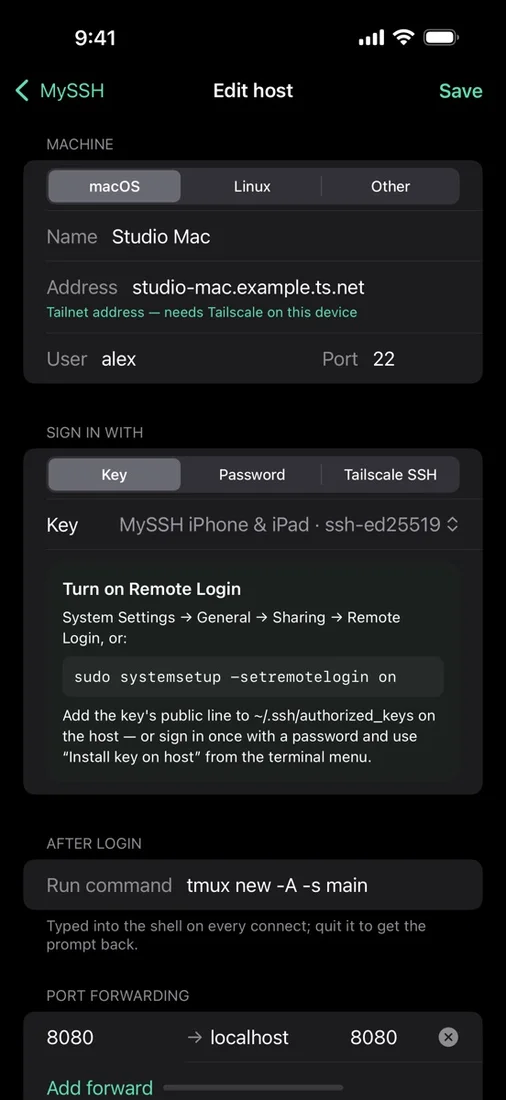 Set up each host onceChoose key, password or Tailscale SSH, add a login command such as tmux, and forward ports.
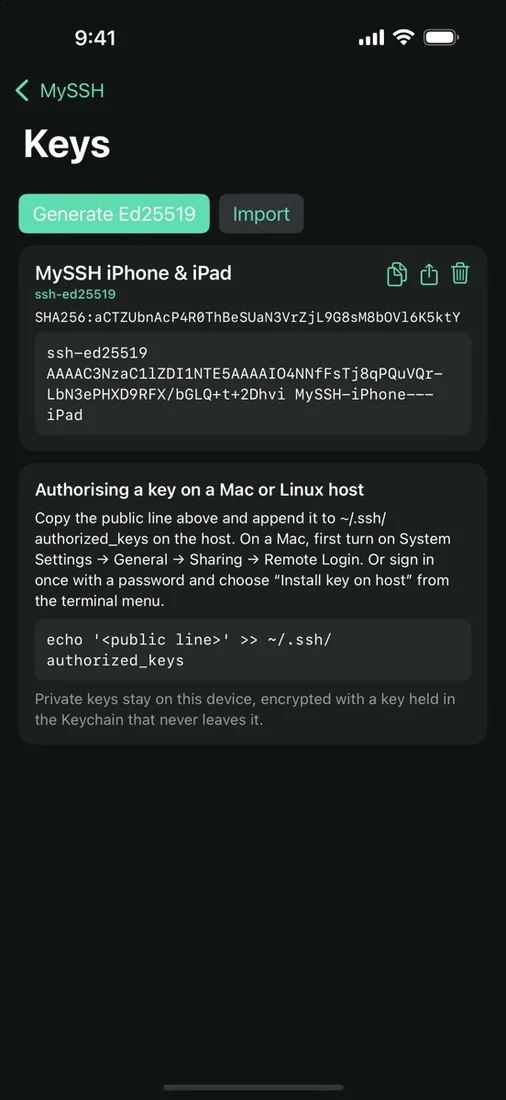 Generate and manage keysCreate an Ed25519 key or import one, then copy, share or install its public line on a host.
Select a screenshot to view it full size.
No account. Hosts and keys stay on device. Pay once.



Questions
What do I need to use MySSH?
You need a Mac or Linux computer you are authorized to access, with SSH enabled and valid credentials. Tailnet access requires your own tailnet and the separate official Tailscale app. Mac screen sharing requires Screen Sharing or Remote Management on the Mac. MySSH runs on iPhone and iPad with iOS 17 or later, and on Android. Android can keep sessions connected in the background with a notification; iOS may suspend connections in the background, so reconnect when you return.
Are there in-app purchases or a subscription?
No. MySSH is a paid download on the App Store and on Google Play, with no in-app purchase or subscription. Each store sells its own version, so buying on one does not unlock the other.
How are my keys and passwords stored?
Saved hosts and settings stay on your device, with no MySSH account. Private keys, remembered passwords and Tailscale credentials are encrypted with a key held in the iOS Keychain or Android Keystore, and app data is excluded from backups. MySSH has no advertising or analytics SDKs, and connections go directly to the hosts and services you choose.
Works with
Independent apps from Auralitho for the other jobs on your list.


Try MySSH
Your Mac and Linux machines, within reach.