SmallCRM app icon

SmallCRM

Focused private CRM

Manage contacts, deals, follow-ups, and work without the weight of an enterprise CRM.

Download on the App Store
?

The Problem

Customer relationships quickly become scattered across contacts, inboxes, calendars, and task lists, while enterprise CRM systems often introduce more setup, process, and administration than a small business needs.

The Solution

SmallCRM keeps the practical parts of sales work together in a focused, private workspace. See what needs attention, move deals through your own pipeline, log activity, plan follow-ups, and use optional on-device suggestions without uploading your records.

What you get

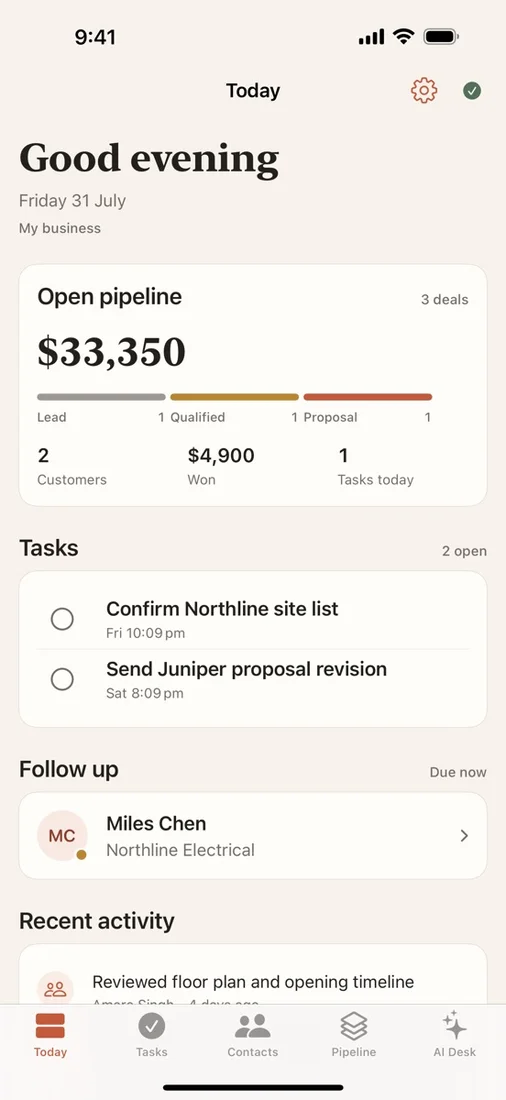
A clear daily overview

See overdue tasks, upcoming follow-ups, and pipeline health so the relationships needing attention rise to the top.

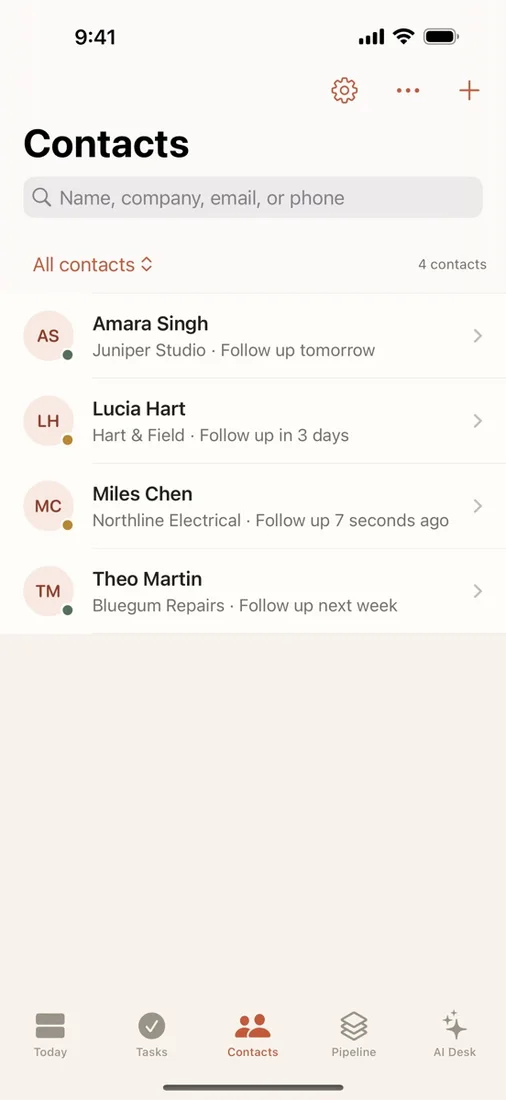
Contact and activity tracking

Filter and search contacts, log calls, emails, and meetings, then complete or reschedule the next follow-up.

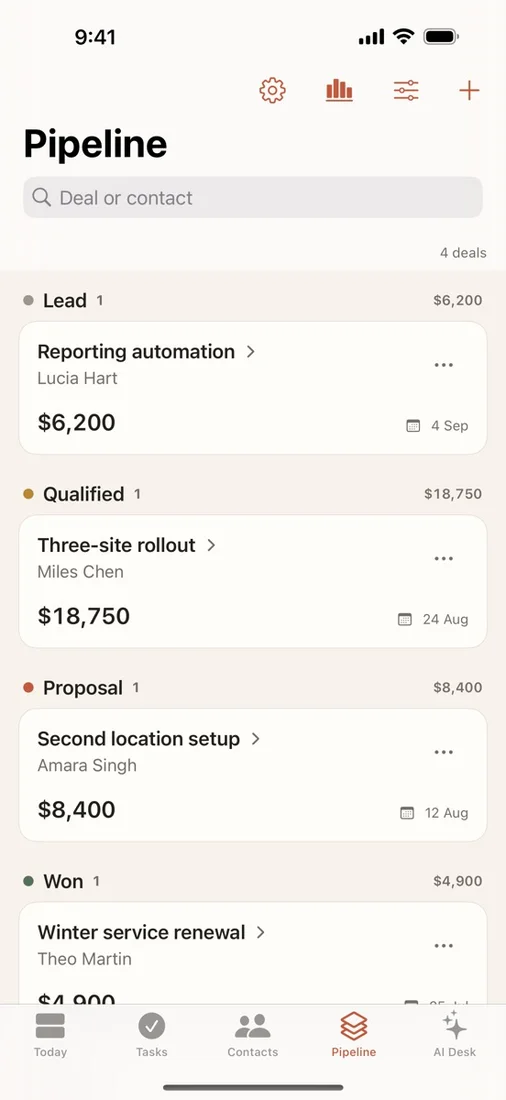
Custom sales pipeline

Rename, reorder, and colour pipeline stages, then open a deal workspace for its contact, activity history, and next steps.

Tasks, reminders, and reporting

Create one-off or recurring tasks and review pipeline value, win rate, and outcomes across a selected time period.

Private sync and portability

Optionally sync through your private iCloud database across iPhone and iPad, resolve edit conflicts, and import or export contacts with CSV.

Optional on-device assistance

Generate a daily brief, draft follow-ups from contact history, or coach a deal with Apple’s on-device model, with nothing saved until you choose.

Questions

Does SmallCRM require an account?
No. There is no sign-in or SmallCRM server. Your records are stored in a database on your device, with optional sync through your own private iCloud database.
Do I need Apple Intelligence?
Only the optional on-device suggestions require a device that supports Apple Intelligence. Every other SmallCRM feature works on any supported iPhone or iPad.
Can I protect my CRM records?
Yes. Lock SmallCRM behind Face ID, Touch ID, or your device passcode. While locked, your records also stay hidden in the app switcher.
What happens if I turn off iCloud sync?
Everything already saved stays on the device. SmallCRM can also help resolve conflicts when the same synced record changes on another device.

Try SmallCRM

Manage contacts, deals, follow-ups, and work without the weight of an enterprise CRM.

Download on the App Store